
Connect the cameras you already own
If your cameras feed into a recorder like a Hikvision NVR, your setup is exactly what Poseidon Watch was built for. Three steps, about an hour of your IT team’s time — nothing replaced, nothing rewired, and nothing exposed to the internet.
~1 hour
Total IT time
None
New hardware needed
None
Firewall changes
Zero
Changes to your setup
Your cameras stay where they are. We come to them.
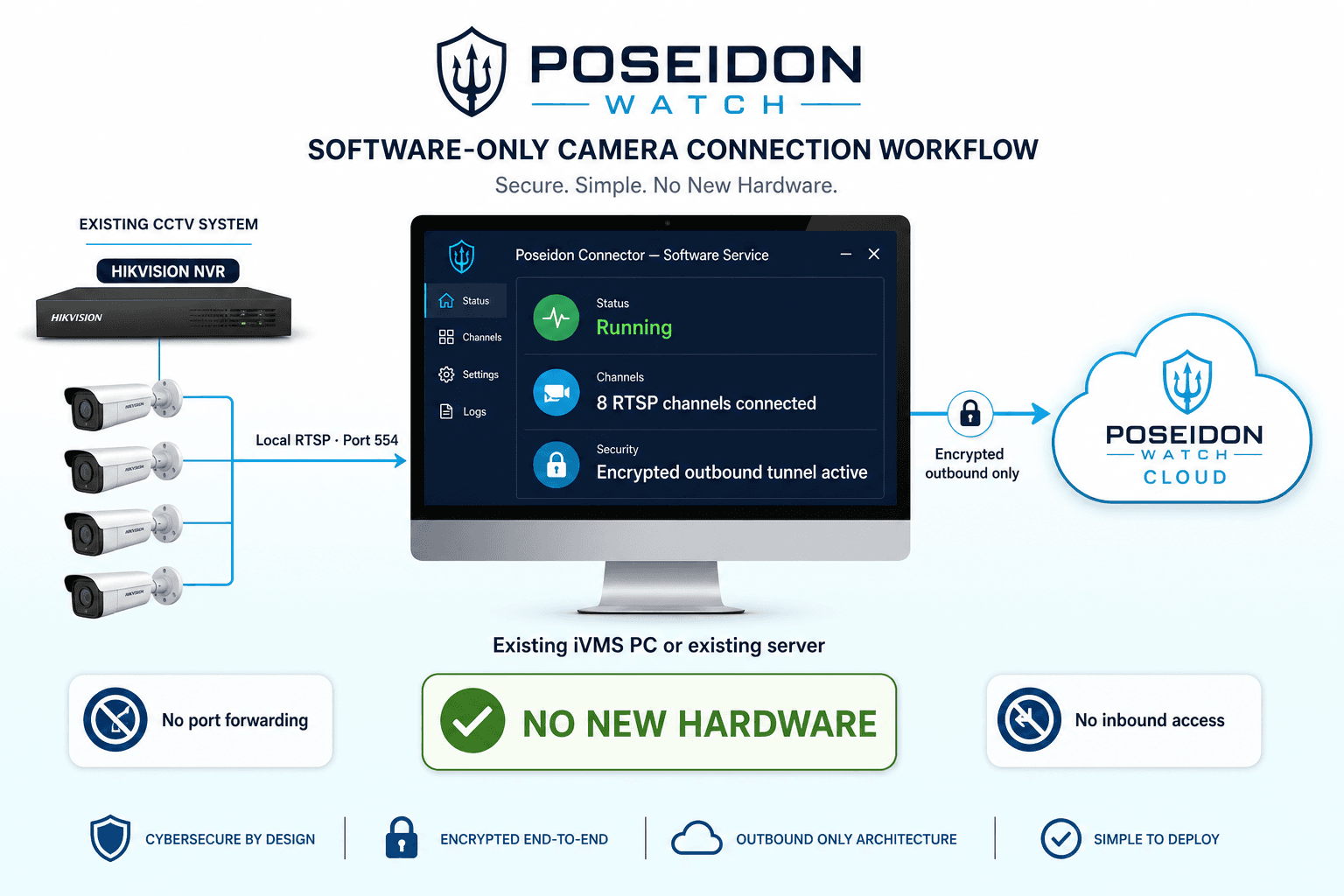
Poseidon Watch adds a layer of AI eyes on top of your existing CCTV. Your recorder keeps recording, your team keeps watching in iVMS, and the Poseidon Connector software running on your existing infrastructure securely carries approved feeds out to the AI — in one direction only.
Your site today
Cameras feed into your recorder (NVR). Your team watches through iVMS on the monitoring PC — all of this stays exactly as it is.
Connector software
Installed on an existing PC, server or virtual machine, it reads approved RTSP feeds locally and sends them through one encrypted, outbound-only link. Nothing comes in.
Poseidon Watch cloud
The AI watches every feed continuously and alerts your team the moment something looks wrong — visible only to your account.
Three steps. That’s it.
This is everything that happens between signing up and your cameras being under AI supervision — most of it done by us, together with your IT team on a single short call.
- 01
About 5 minutes · your IT team
Create one viewing account on your recorder
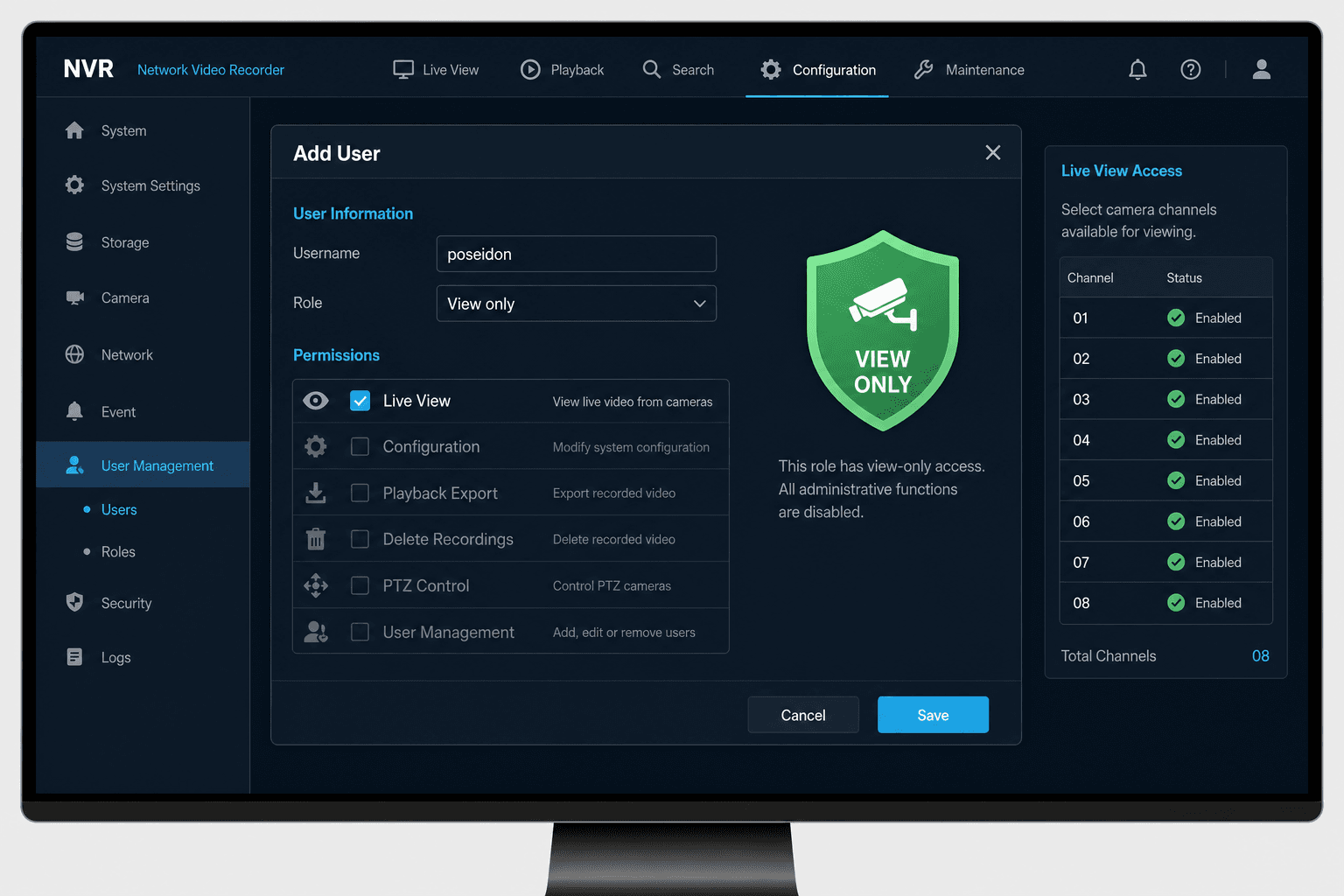
Your recorder (for example a Hikvision NVR) supports extra user accounts. Your IT team adds one — something like "poseidon" — with view-only permission.
That single setting means Poseidon Watch can see your camera feeds but can never change settings, delete recordings, or touch anything else. Your admin password is never shared with us — and never should be.
Your team keeps using iVMS (or any viewing software) exactly as they do today. Recorders are built to serve several viewers at once.
- 02
About 1 hour · our team, together with yours
We set up the secure link to your site
Your IT team installs the Poseidon Connector software on infrastructure already at your site — such as the existing iVMS PC, a Windows or Linux server, or a virtual machine. There is no appliance to buy and no new hardware to install.
The software reads the approved RTSP camera feeds from your recorder over the local network, then makes a single encrypted, outbound-only connection to Poseidon Watch: the same direction of traffic as a computer browsing the web.
No doors are opened into your corporate network. No port forwarding, no inbound firewall rules, nothing publicly visible. Your cameras are never exposed to the internet.
This is the part corporate IT teams approve fastest — outbound-only means there is nothing for the outside world to find or attack.
- 03
Done during onboarding · pre-filled for you
Your cameras appear in your dashboard
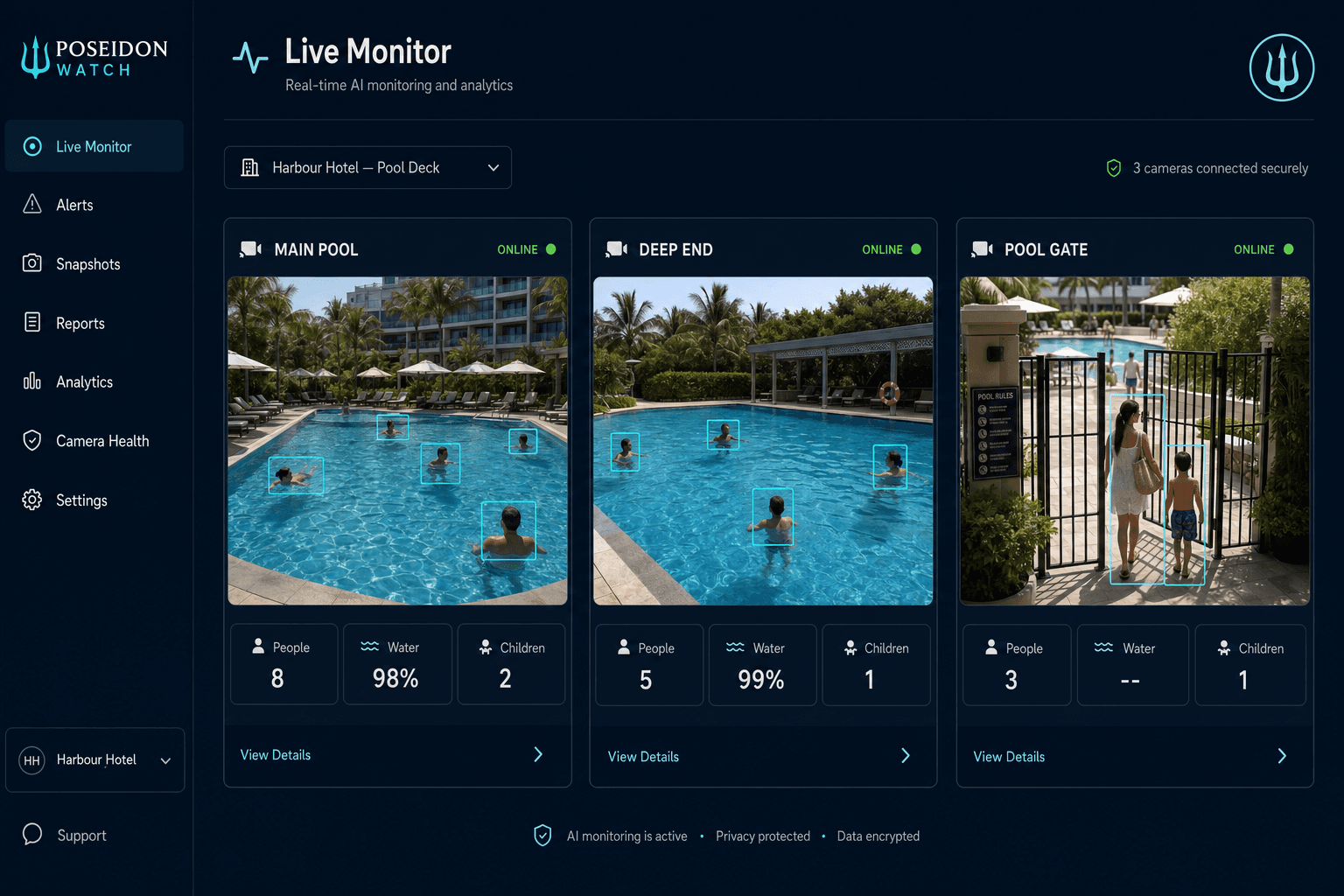
Sign in to Poseidon Watch and each camera shows up on your Live Monitor page — we pre-fill the camera list with you during onboarding, so there is nothing technical to type.
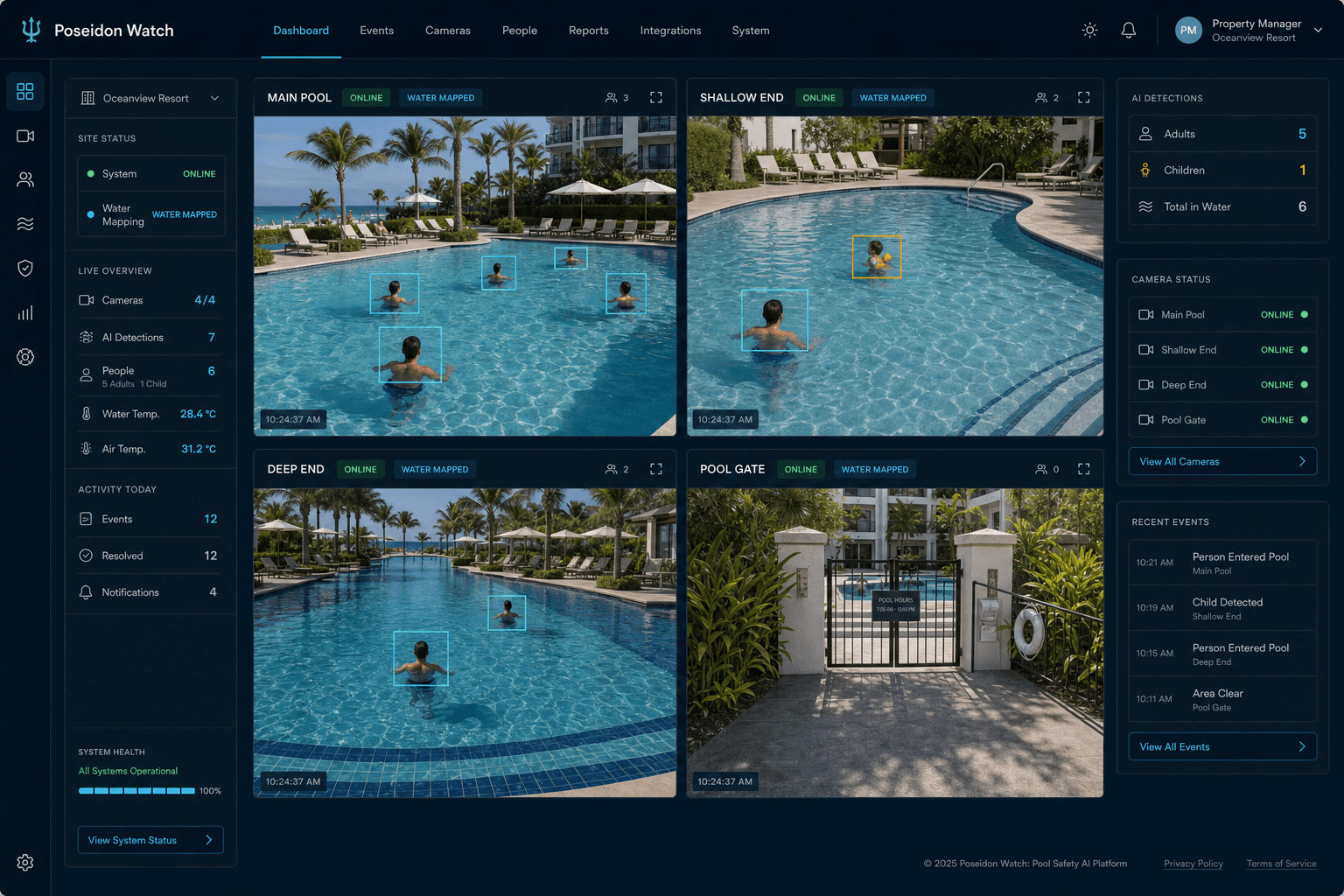
From that moment the AI is watching continuously: tracking every person, mapping the water, telling children from adults, and alerting your team in real time the moment someone shows signs of trouble.
Only your Poseidon Watch account can see your feeds. Access is controlled by your login — per person, per site.
The four things IT will want to hear
Send this page to your IT contact — these are the answers to the questions they will ask first.
View-only access
The account your IT team creates can watch camera feeds — nothing more. We can never change settings, delete footage, or control the recorder.
Outbound-only connection
One encrypted connection from your site out to our cloud. No inbound firewall changes, no port forwarding, nothing exposed to the public internet.
Zero disruption
iVMS, recording schedules, and your monitoring PC keep working unchanged. Your recorder happily serves your team and Poseidon Watch at the same time.
Two layers of credentials
Your Poseidon Watch login controls who sees which cameras in the dashboard. The view-only recorder account plus the private link controls who can reach the video at all. Nobody without both can connect anything.
Connecting cameras, answered
Do we need to buy hardware, new cameras or replace our recorder?
No. Poseidon Watch is designed to work with the CCTV system and computing infrastructure you already own. The Poseidon Connector is software installed on an existing PC, server or virtual machine — there is no dedicated appliance to purchase. If your cameras feed into a network recorder, you are already set up for it.
Will our current monitoring software keep working?
Yes, completely unchanged. Your recorder can serve several viewers at once, so iVMS (or whatever your team uses), recording schedules and your monitoring PC all keep working exactly as they do today. Poseidon Watch is an additional set of AI eyes, not a replacement.
Is our network exposed to the internet?
No. The Poseidon Connector software makes a single outbound encrypted connection to our cloud — the same direction of traffic as a computer browsing the web. There are no inbound firewall rules, no port forwarding, and your cameras are never publicly reachable.
What exactly does our IT team have to do?
Three things, all together in about an hour: create one view-only user on the recorder, install the Poseidon Connector software on an existing PC, server or virtual machine that can reach the recorder, and confirm the approved camera channels. We guide them through the whole process on a short call.
Who can see our camera feeds?
Only people you have given a Poseidon Watch login, with the access you choose per person and per site. Camera credentials are stored securely against your account — no other customer, and nobody without your login, can see your feeds.
We have multiple properties — does this scale?
Yes. Each site runs its own isolated copy of the Poseidon Connector software on existing infrastructure, and every property appears in the same command centre. You control which team members can see which sites, from a duty manager with one property to head office with read-only oversight across all of them.
What if our recorder is not a Hikvision?
The same approach works with virtually every modern recorder brand (Dahua, Uniview, Axis, Bosch and others) — they all support view-only accounts and standard video streaming. Tell us what you have during onboarding and we will confirm it on the spot.
One short call with your IT contact and we’ll take it from there
Tell us about your facility and recorder setup, and we’ll schedule the connection together — most sites are live the same week. Want to see the monitoring first? Upload a clip of your own pool footage in the demo and watch the AI work before anything is connected.
What to have ready
- Your recorder brand and model (e.g. Hikvision NVR)
- Roughly how many cameras cover the pool areas
- Your IT contact for the one-hour setup call